
Loading...
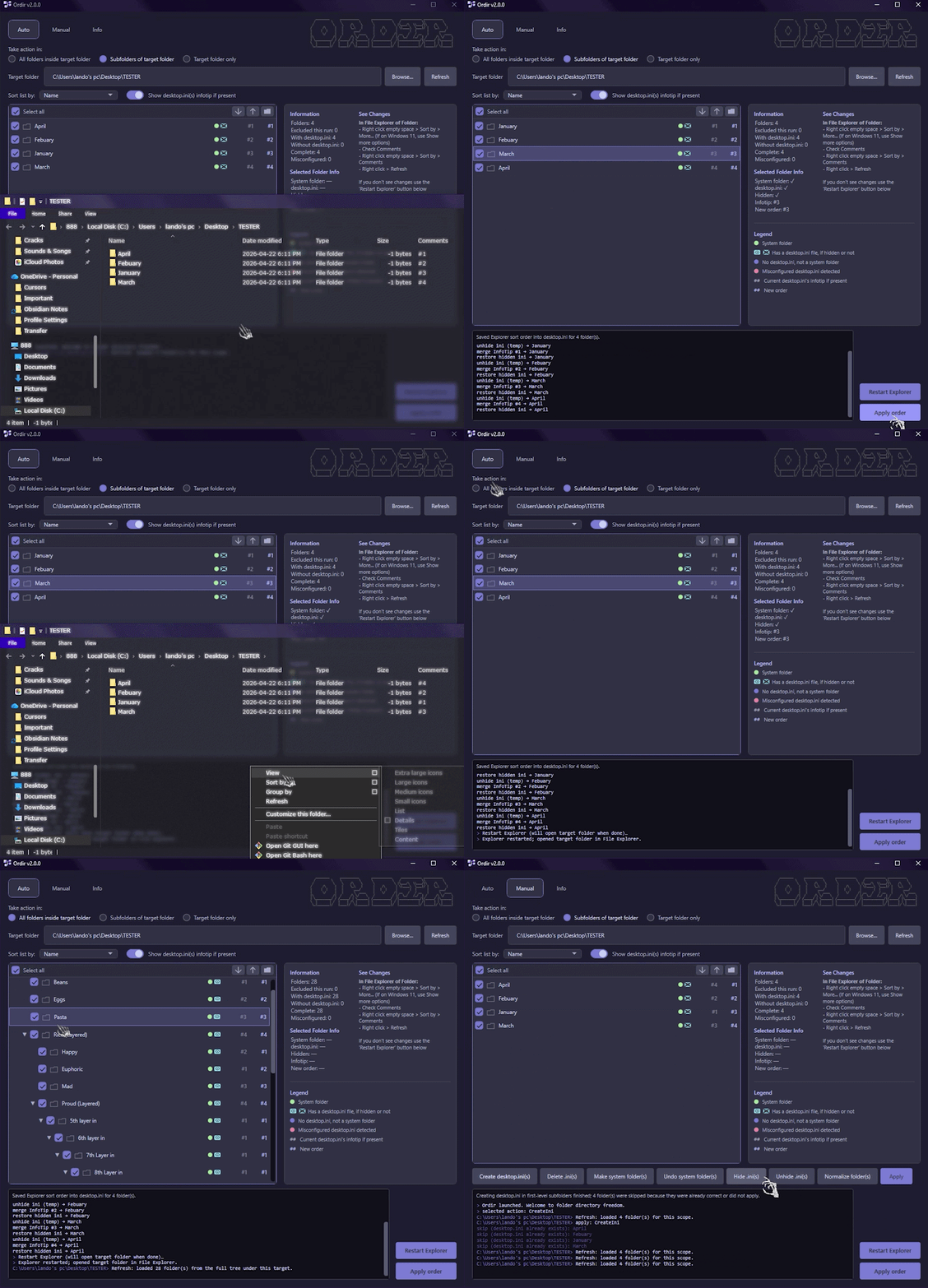
Finally have the freedom to organize/order folders any way you want in Windows File Explorer, and add custom thumbnails. Say goodbye to the gut-wrenching mess of foldername ordering by A–Z or numbers, and order limitations in general. Your configuration transfers wherever you move an organized folder, even to other drives. Save a custom setup, or for bulk operations export lists, feed them to an AI to organize, import a revised list, and apply. HOW IT WORKS: Ordir uses a fairly unknown method via hidden desktop.ini files, infotips, and sorting by Comments in Explorer—think of it as giving folders metadata and sorting by it. INPUT: 1. Load a target folder 2. Order folders however you want APPLY PROCESS: 1. Creates hidden desktop.ini file(s) in each folder 2. Inserts infotip(s) (order number) into those desktop.ini file(s) 3. Makes folders into system folder(s) 4. Hides desktop.ini file(s)
No comments yet. Start the conversation!